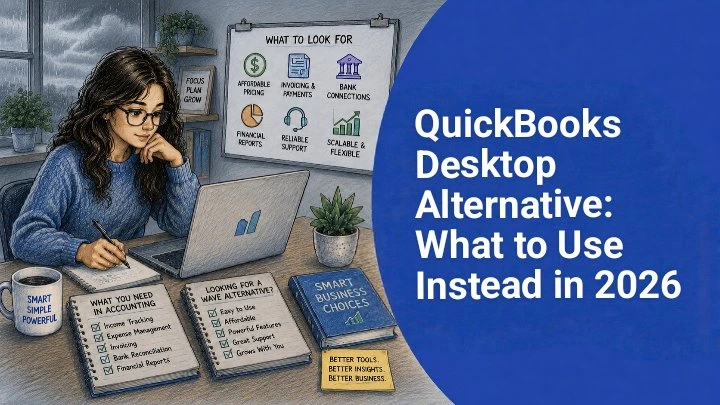

QuickBooks Desktop Alternative: What to Use Instead in 2026
Start with the workflow you cannot afford to break
Choosing replacement accounting software is not only a software decision. It is a workflow decision. The safest starting point is the process that would create the most disruption if it failed for a month.
For a contractor, that process might be job-level cost tracking. For an online seller, it may be inventory and settlement reconciliation. For a consultant, it may be categorizing deposits, card charges, owner draws, and reimbursements quickly enough to make estimated tax planning possible.
Write down the three things your current desktop file does that you still rely on. Keep the list specific. “Track profit by job,” “separate personal and business transfers,” and “give my accountant a clean year-end report” are better requirements than “easy to use.” A pleasant interface is helpful, but it will not fix a missing workflow.
Also separate accounting needs from operations needs. Accounting records support financial reporting and tax preparation. Operations tools may handle proposals, inventory, field work, customer management, payroll, or billing. Some businesses need those functions connected; others do not. The more your current file acts as an operations hub, the more careful your replacement search should be.
What makes a good quickbooks desktop alternative?
A good quickbooks desktop alternative should help you produce reliable books without rebuilding every month in spreadsheets. It should make transaction entry, review, reconciliation, and reporting clearer than your current setup. It should also fit the way you work when business is busy, not only when transaction volume is light.
Use your busiest recent month as the test case. If you had unusually high sales, several reimbursed expenses, contractor payments, or multiple transfers between accounts, see how each option would handle that month. A tool that feels fine with ten sample transactions may feel very different when you need to review a full statement cycle.
Ask practical questions before you evaluate design or subscription cost. Can the system support the reports you need? Can your accountant access what they need in an acceptable format? Can you export your own records? What happens if a bank connection, import file, or third-party feed is incomplete? Providers change features over time, so confirm current capabilities directly instead of relying on old screenshots or forum posts.
Switch if…
You need easier access for more than one person, cleaner collaboration with a bookkeeper or accountant, or a simpler process for reviewing current transactions. Switching can also make sense if your desktop workflow depends on manual file sharing, delayed backups, or a single computer that slows month-end work.
Stay for now if…
Your current file supports a specialized process that replacement tools cannot clearly match. If inventory, job costing, custom billing, or compliance documentation is tightly built around your existing workflow, test a copy of your books first and move only after the new process is proven.
Do you need full accounting software or just better bookkeeping?
You need full accounting software when your books drive decisions beyond basic expense organization. That may include accrual accounting, accounts receivable, accounts payable, inventory, classes, locations, job reports, multiple users, approval workflows, or reports tied to financing requirements.
You may need a lighter bookkeeping tool when the main job is to keep bank and credit card activity organized, reviewed, and ready for an accountant or tax preparer. This is common for freelancers, consultants, side businesses, and small service firms that do not sell inventory or manage complex customer billing inside their accounting system.
One option to evaluate is Tabby. Do not assume any provider has the exact feature set, bank coverage, import process, security controls, or pricing you need until you confirm those details on its current website. This is especially important if you require payroll, invoicing, tax filing, inventory, or industry-specific reporting.
A useful way to decide is to ask, “If this tool disappeared for two weeks, what would stop?” If only weekly transaction review would pause, a bookkeeping-first option may be enough. If customer billing, payroll approvals, inventory counts, or lender reports would stop, you likely need a broader accounting platform.
How should you compare alternatives before you buy?
Compare tools by decision criteria, not by a long feature list. A long menu can hide a weak workflow, and a simple tool can be excellent if it matches your actual needs. Use the table below as an evaluation structure, then verify current provider details before committing.
| Option type | What to verify | Strengths | Trade-offs | Best fit |
|---|---|---|---|---|
| Cloud accounting platform | Pricing, user access, accountant access, exports, bank connections, report formats, and available add-ons. | Often suited to shared bookkeeping, remote work, and more formal monthly reporting. | Can require more setup decisions and may include features you do not need. | Growing teams, owners with outside accountants, and businesses that need reliable standard financial statements. |
| Industry-specific accounting system | Whether the provider supports your exact industry workflow, integrations, data ownership, and reporting needs. | May align better with specialized operations such as projects, inventory, locations, or field-based work. | Can be harder to change later if the workflow is highly customized. | Contractors, product businesses, nonprofits, agencies, or firms with niche reporting needs. |
| Bookkeeping-focused tool | Bank and card connectivity, categorization workflow, export options, accountant review process, and feature limits. | Can be easier for straightforward books where transactions are the main workload. | May not replace billing, payroll, inventory, or full accounting controls. | Solo owners and small service businesses with simple income and expense patterns. |
| Tabby | Current pricing, plan limits, supported connections, security information, import and export options, and current feature scope. | Worth reviewing if you are exploring bookkeeping software rather than a full operations suite. | Confirm whether it covers your required workflow before relying on it as a replacement. | Owners comparing simpler bookkeeping options for a US small business. |
| Spreadsheet plus bank exports | How you will store source documents, prevent formula errors, reconcile accounts, and share records with a professional. | Flexible and familiar for very early-stage businesses. | Manual work grows quickly, controls are limited, and reporting consistency depends on discipline. | New businesses with very low activity and no need for formal accounting workflows yet. |
| Bookkeeper-managed system | Who owns the file, how often it is updated, what software is used, and how you receive reports and exports. | Can reduce owner workload when the bookkeeper has a clear monthly process. | You still need oversight and timely access to records. | Owners who prefer review meetings and reports over hands-on bookkeeping. |
During demos, use real examples. Ask how a reimbursed expense, owner contribution, loan payment, customer deposit, or merchant payout would be recorded. These everyday transactions reveal more than a polished sample company file.
What should your first 30 days look like?
Your first month should be controlled and boring. The goal is not to customize everything immediately. The goal is to prove that transactions, categories, balances, and reports can be trusted.
Pick a cutover date, ideally the end of a month or quarter. Save reports from your old system through that date, then begin the new workflow with a clean starting point. Avoid random midweek or midmonth cutovers unless there is an urgent reason. A clean date makes it easier to compare balances and explain differences later.
Run a short parallel period if possible. Keep the old records available while you review the first full cycle in the new system. Look for duplicate income, transfers recorded as expenses, missing credit card payments, uncategorized withdrawals, and opening balances that do not agree with statements.
Use this ordered checklist before and during the move:
- Export key records from your current file, including year-to-date profit and loss, balance sheet, general ledger or transaction detail, customer or vendor lists if needed, and any reports your accountant regularly requests.
- Download bank and credit card statements for the current year and any prior periods you may need for reference. Store PDFs and export files in clearly labeled folders by account and month.
- Clean the chart of accounts before rebuilding it. Combine duplicate or unused categories only after considering tax reporting, management reporting, and accountant preferences.
- Set up the first month with limited complexity. Focus on accounts, categories, opening balances, and standard reports before adding optional automations or custom workflows.
- Reconcile each bank and credit card account through the first month-end, then review the profit and loss, balance sheet, and transaction detail with your accountant or bookkeeper if you use one.
When should you not switch yet?
Do not switch simply because you are frustrated. Switch when you can define what the new system must do better. If your records are months behind, the first step may be cleanup, not migration. Moving messy data into a new product usually creates a different mess.
You may also want to wait if your business is in its busiest season, preparing financing documents, closing year-end, or handling a major tax deadline. In those periods, continuity can be more valuable than convenience. A delayed, planned switch is often safer than a rushed cutover.
Another reason to pause is dependence on specialized desktop behavior. Some businesses rely on local files, custom reports, legacy add-ons, or staff routines that were refined over years. A new tool might still be the right answer, but only after you document the current workflow and test how the replacement handles edge cases.
Finally, do not expect software to make accounting judgments for you. Categorization, capitalization, contractor classification, sales tax treatment, and entity-level reporting can involve facts and professional judgment. Treat software as a recordkeeping tool, and ask a qualified professional when a decision affects tax or legal obligations.
Common mistakes owners make during the switch
The biggest mistake is treating migration like a simple file transfer. A replacement project is a chance to simplify categories, clarify responsibilities, and remove old workarounds. If you copy every outdated habit, you may end up with the same problems in a new interface.
- Importing too much history. Prior-year detail can be useful, but it is not always necessary to rebuild years of transactions inside the new system. Keep old reports and source files accessible, then migrate the history you truly need.
- Skipping reconciliation. A report can look reasonable while the bank balance is wrong. Reconcile accounts before trusting profit, cash, or balance sheet numbers.
- Using vague categories. Buckets like “miscellaneous” and “other expense” make reports less useful. Use categories that support tax preparation and management decisions.
- Ignoring exports. Before committing, confirm how you can export records if you later change providers or need to share data with an accountant.
- Choosing on subscription price alone. The cheapest tool is not always the lowest-cost tool if it creates more manual review, training, or cleanup.
Frequently Asked Questions
What is the best option for a solo owner?
The best option is the one that keeps your records accurate with the least weekly effort. If you mainly categorize bank and card activity, a bookkeeping-focused tool may be enough. If you invoice customers, manage contractors, track inventory, or need formal accrual reports, compare full accounting platforms.
Can I switch accounting systems in the middle of the year?
Yes, you can switch midyear if you control the cutoff date. A month-end or quarter-end transition is usually easier to review than a random date. Save baseline reports first, then compare opening balances and the first month of activity carefully.
Should I move all historical transactions?
Not always; move only the history you need for reporting, review, or compliance. Many owners keep prior records as exported reports and source files while starting the new system at a clean cutoff date. Ask your accountant what history they expect to access.
Will a bookkeeping tool replace payroll, invoicing, and inventory?
No, you should not assume it will replace those functions. Some tools focus narrowly on bookkeeping, while others support broader accounting operations. If payroll, invoicing, CRM, inventory, or tax filing is required, verify those capabilities directly with the provider.
How do I know if my reports are right after switching?
Start by comparing the profit and loss, balance sheet, and transaction detail to your source records. Then reconcile every bank and credit card account through the same date. Differences often come from duplicate imports, transfers recorded incorrectly, missing liabilities, or opening balance errors.
Is a spreadsheet good enough for a very small business?
Yes, a spreadsheet can be enough for a very small business with simple activity and disciplined recordkeeping. The risk is that manual work becomes inconsistent as transactions increase. If you miss reconciliations or rely on memory, dedicated bookkeeping software may be safer.
What should I ask before evaluating Tabby?
Ask whether the current product scope matches the workflow you need. Confirm pricing, supported connections, import and export options, security information, plan limits, and whether it is intended to replace or complement your existing accounting process.
Bottom Line
The right quickbooks desktop alternative is the one that protects your reports, fits your busiest month, and reduces the manual work that actually slows your business down. A simple bookkeeping tool may be enough for straightforward bank-based records. A fuller accounting platform may be necessary when your books support billing, inventory, payroll, job tracking, or outside reporting.
Before you switch, define your must-have workflows, export your records, set a clean cutoff date, and verify current provider details. If you want a structured way to evaluate readiness, start with the Business Health Score and use the results to guide your software questions.