
- AI profit and loss statement generator
Upload your statements. Get your P&L.
Drop in bank statement PDFs or connect your bank. Tabby’s AI reads every transaction, puts it in the right category and builds a profit and loss statement your lender and your CPA can read.
- PDFs from any US bank
- Cash or accrual basis
- No credit card needed
Tabby AI is reading 180 transactions. Each one gets a category from your chart of accounts.
| Income | |
| 4000Consulting services | $41,500.00 |
| 4010Project fees | $6,800.00 |
| Total income | $48,300.00 |
| Total cost of services | $10,480.00 |
| Gross profit | $37,820.00 |
| Total operating expenses | $14,620.00 |
| Net profit | $23,200.00 |
Sample data from a three-month statement upload. Your own P&L updates as new transactions arrive.
Trusted by 5,800+ small business owners
- The short answer
What is an AI profit and loss generator?
Definition
What you give it
PDF, CSV or Excel statements, or a bank connection
What you get
A P&L by month, quarter or year
Time it takes
Minutes, not a weekend
Cost in Tabby
P&L report on every plan, including Free
It reads the statements
Customer, service, rate, tax and terms come from your own records. You don’t retype an address or look up what you charged last time.
It categorizes every line
Each transaction lands in a category from your chart of accounts. Tabby tells you why it chose it and asks about the ones it isn’t sure of.
It builds the statement
Income, cost of services, operating expenses and net profit, totaled for your dates and kept current as transactions come in.

Reviewed by Ahad Ali, CPA · Updated October 2026
- How it works
How to make a P&L from bank statements.
- 1chase-statement-2026-06.pdfchase-statement-2026-07.pdf180 transactions found
Add your bank data
Upload statement PDFs, or connect the account through Plaid so new transactions sync on their own. Do both if you need older history.
- 2WeWork → Rent & officeDelta → Travel166 of 180 sorted for you
Let the AI categorize
Tabby sorts each transaction. The few it can’t place go to a Review list with a suggested category you accept in one click.
- 3Net profit $23,200Jun 1 – Aug 31 · 48.0% marginExport PDF
Open your P&L
Pick the dates and cash or accrual. Export a PDF, email it on a schedule or ask Tabby what changed.
Free plan. Set up in about 3 minutes.
- Inside Tabby
See each step in the real product.
Choose the account, add up to 12 statements and import. PDFs from any US bank work.


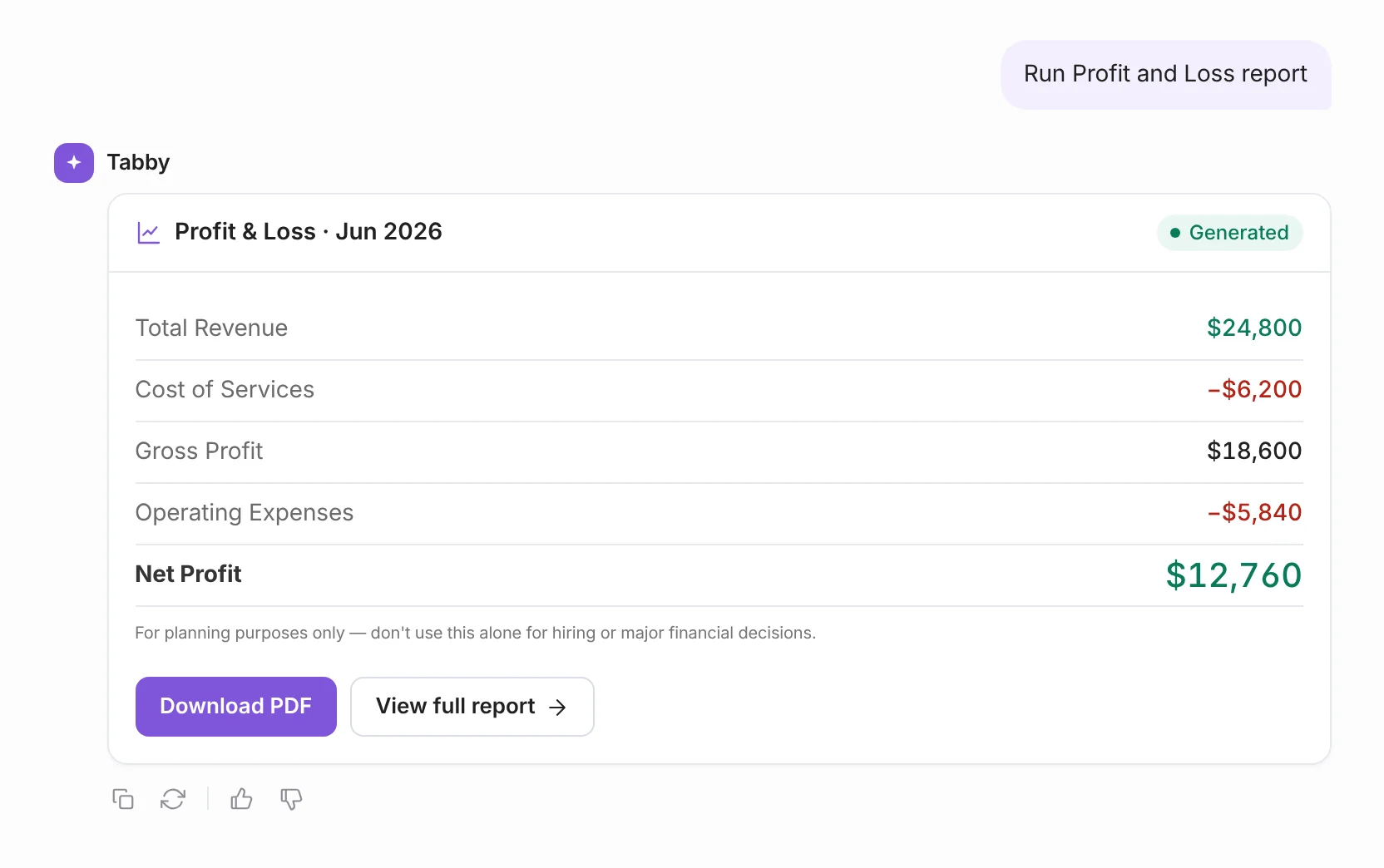
- Sample P&L
A profit and loss statement example, and how to read it.
| Account | Total |
|---|---|
| Income | |
| 4000Consulting services | $41,500.00 |
| 4010Project fees | $6,800.00 |
| Total income | $48,300.00 |
| Cost of services | |
| 5000Subcontractors | $9,400.00 |
| 5010Software for delivery | $1,080.00 |
| Total cost of services | $10,480.00 |
| Gross profit | $37,820.00 |
| Operating expenses | |
| 6000Rent & office | $4,440.00 |
| 6010Software & subscriptions | $2,310.00 |
| 6020Travel | $3,150.00 |
| 6030Advertising & marketing | $1,900.00 |
| 6040Professional fees | $1,500.00 |
| 6050Meals | $870.00 |
| 6060Phone & internet | $360.00 |
| 6070Bank charges | $90.00 |
| Total operating expenses | $14,620.00 |
| Net profit | $23,200.00 |
Income
Everything the business earned in the period, grouped by type. Transfers between your own accounts and money you put in yourself aren’t income, so they don’t belong here.
Cost of services (or cost of goods sold)
What it cost to deliver the work you sold: subcontractors, materials, inventory. A product business will see “cost of goods sold” instead.
Gross profit
Income minus cost of services. Here that’s $37,820, a 78% gross margin. It shows whether your pricing covers the work itself.
Operating expenses
The cost of running the business whether or not you sell anything this month: rent, software, travel, marketing, fees.
Net profit
Gross profit minus operating expenses. This business kept $23,200 of $48,300, a 48% margin. It’s the number lenders ask about and the starting point for your taxes.
- AI categorization
A bank statement is just a list. The AI turns it into books.
It learns your vendors
Confirm once that Uber is Travel and every Uber charge follows, this month and next.
It explains each suggestion
“From your past Staples transactions” or “Based on the merchant type” sits beside the category.
It warns you before the report is wrong
If uncategorized transactions could throw off your profit, the P&L says so and links you to fix them.
- What the report can do
A profit and loss report you can dig into.
Any period
This month, last month, this quarter, year to date, last year or custom dates. Switch in one click.
Cash or accrual
See profit when money moved or when you earned it. Toggle between the two on the same report.
Compare periods
Put this quarter beside the last one, or view the report in columns to spot what changed.
Drill into any number
Click an account to see the transactions behind it. No figure is a black box.
Export to PDF or CSV
Download a clean PDF for a lender or a CSV that opens in Excel and Google Sheets. Exports start on the Standard plan.
Email it on a schedule
Save the report with your filters and send it weekly or monthly to a partner, investor or accountant.
Ask about it
“Why did profit drop in August?” Tabby Talk answers from the transactions in the report.
Tax-ready totals
The Tax Ready Report lines your categories up with Schedule C, so your CPA gets figures and not a shoebox.
- When you need one
Four times someone will ask for your P&L.
A mortgage or business loan
Lenders commonly ask self-employed borrowers for a year-to-date P&L next to their tax returns and bank statements.
Tax season
Sole proprietors report income and expenses on Schedule C. A categorized P&L is most of that work, done ahead of time.
Partners and investors
Anyone with money in the business will want a monthly or quarterly statement they can read without a call.
Your own decisions
Can you afford the hire? Is the price too low? Margin by month answers that better than a bank balance.
- How the options compare
AI P&L generator vs. templates vs. ChatGPT.
Swipe the table to compare
| What you need | Tabby | Fill-in P&L generators | Excel or Sheets templates | ChatGPT and other chatbots |
|---|---|---|---|---|
| Builds the P&L from your bank statements | One file at a time | |||
| Categorizes transactions for you | With careful prompting | |||
| Remembers your categories next month | ||||
| Updates as new transactions arrive | ||||
| Cash and accrual basis | By hand | |||
| Shows the transactions behind each number | If you build it | |||
| Adds up totals and margins | Check the math | |||
| Free to start |
- Free P&L calculator
Already know your numbers? Get a quick P&L here.
Your numbers
Use totals for one month, one quarter or one year.
48.0% net margin
This calculator adds up what you type. Tabby works the totals out for you from your statements, free to start.
- Before you upload
Six tips for a clean statement import.
- Use the PDF your bank makesDownload the monthly statement from online banking. Scans and phone photos don’t read reliably.
- One file per statement periodUpload June, July and August as three files, up to 12 at a time and 10 MB each.
- Remove password protectionA locked PDF can’t be read. Save an unlocked copy and upload that.
- Pick the account firstTell Tabby which checking or card account the statements belong to, so balances land in the right place.
- Skip months your bank already syncedA bank connection usually brings in the last 60 to 90 days. Upload statements only for dates before that.
- CSV or Excel works tooYou need columns for date, description and amount. Tabby has a template if your bank’s export looks different.
- Why you can trust it
An accountant’s judgment. A bank’s security.
Ahad Ali, CPA
Co-founder, Tabby · NY, USA
12+
1,500+
CPA
Your bank data stays yours
Read-only access
Tabby can see transactions. It can never move money or charge a card.
AES-256 encryption
In transit and at rest. Your bank login is never seen or stored.
Connected through Plaid
The same secure connection trusted by thousands of financial apps.
Your data, portable
Export your reports and transactions when you need them. No lock-in.
- Questions
Profit and loss generator questions, answered.
An AI profit and loss generator is software that builds a profit and loss statement from your bank transactions instead of numbers you enter by hand. It reads statements or a live bank feed, categorizes each transaction as income or an expense, and totals them into a P&L for the period you choose.
Yes. In Tabby you upload bank or credit card statements as PDF, CSV or Excel files. The AI reads the transactions, assigns each one to a category and builds the P&L. Anything it isn’t confident about goes to a Review list with a suggested category, so the final numbers are still yours to approve.
The profit and loss report is included on every plan, including Free, with no credit card required. PDF statement uploads are included on every plan up to a limit and are unlimited on Growth. Exporting the report to PDF or Excel starts on the Standard plan at $30 a month.
PDF, CSV, XLS and XLSX. You can add up to 12 files at a time, 10 MB each, with one file per statement period. PDF uploads work on every plan, and CSV and Excel uploads start on Standard. A password-protected PDF needs to be unlocked first.
Tabby categorizes transactions with 99% accuracy, and it improves each time you correct it. When it isn’t sure, it doesn’t guess quietly. The transaction goes to Review with a suggested category and the reason for it, and your P&L flags any uncategorized transactions that could affect your profit.
Yes. Profit and loss statement, P&L, income statement and statement of operations all describe the same report: income minus expenses over a period of time. A balance sheet is different. It shows what you own and owe on a single date.
A P&L is a report of your own books, so what matters to a lender is that it’s accurate, covers the right dates and agrees with your bank statements. Tabby’s report shows your business name, the period and the basis, and every number traces back to transactions. Some lenders want the P&L signed by you or prepared by a CPA, so ask your loan officer what they need.
Most freelancers and small businesses use cash basis, which counts income when it’s received and expenses when they’re paid. Accrual counts them when they’re earned or owed, which gives a truer picture if you invoice on terms or carry inventory. Tabby shows both, so you can match what your tax return and your lender use.
As far back as you have statements. A bank connection usually brings in the last 60 to 90 days of transactions. For anything older, such as last year’s books, upload the statement PDFs for those months.
ChatGPT can total figures you paste in and lay them out as a P&L. It struggles with months of raw bank statements, won’t remember your categories next time and can make arithmetic mistakes you’d have to catch. Bookkeeping software keeps the categories, the history and the math consistent from month to month.
No. Tabby is built for people who aren’t accountants. Categories have plain-English names, the review step is a short list of suggestions to accept or change, and the report labels every section. If you can read a bank statement, you can use it.
Tabby connects to banks through Plaid with read-only access, so it can see transactions but can never move money. Your data is encrypted in transit and at rest with AES-256.
Your P&L is already in your bank statements.
- Free plan forever
- No credit card needed
- 30-day money-back guarantee
Keep exploring
AI invoice generator
Turn one sentence into a sent invoice.
Tabby Talk
Ask for any report in plain English.
Pricing
What each plan includes.
1099 tax calculator
Turn one sentence into a sent invoice.